 Blurwise
Blurwise, now in your pocket.
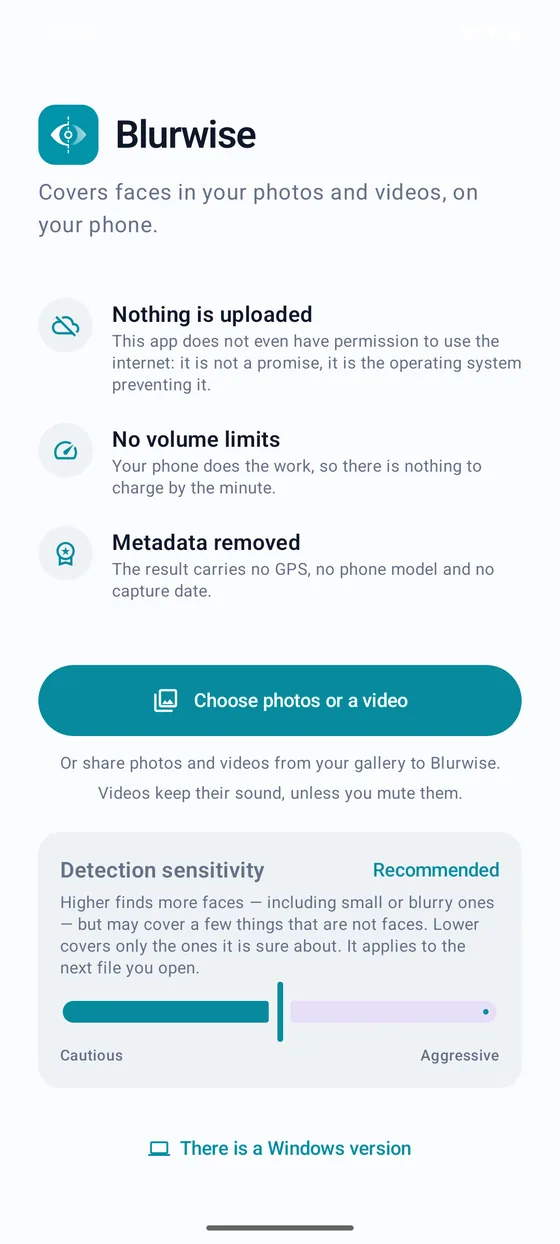
The same face-blurring engine as the Windows app, rebuilt for Android: detect and blur faces in a photo or clip right on your phone, entirely offline. It’s a companion to the desktop app, not a replacement for it.

Prefer the APK? Every Android version is also in the version archive, to install without Google Play. Open the version archive
An honest early build
The face-detection logic is thoroughly tested — 60 automated tests cover it. What’s newer is the on-phone experience itself: it works, but we’re still verifying it across different phones and Android versions. If something looks off, tell us — see Contact below.
See it in action
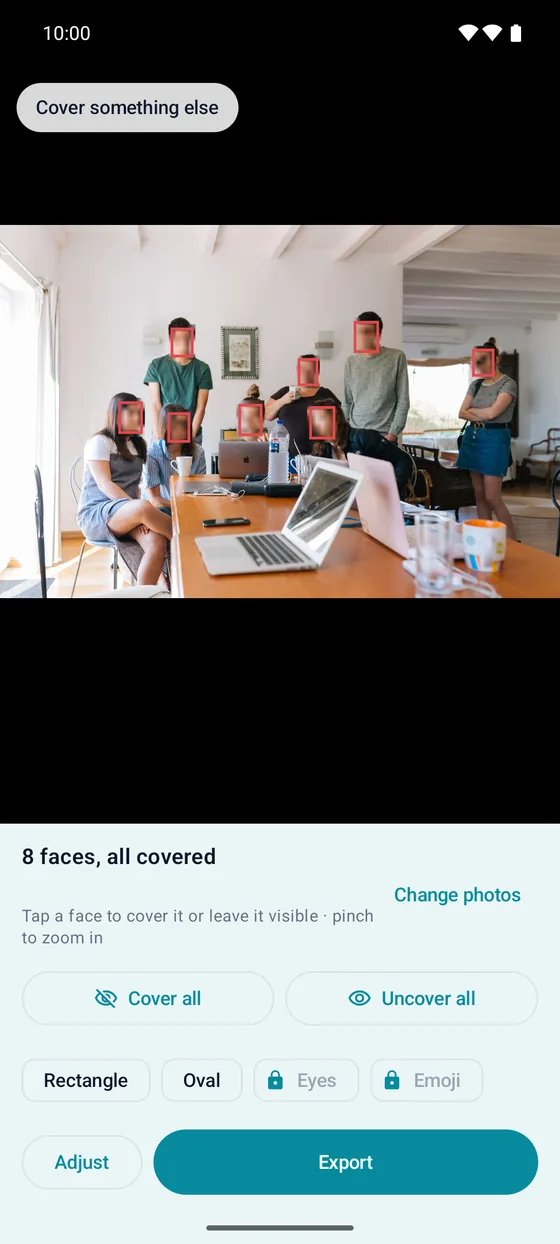
Check every face before you export
The review screen shows the real blur, not a placeholder box. Tap any face to cover it or leave it visible, use “Cover all” to handle a crowd in one tap, and pinch to zoom in up to 8× on a face far in the background. What you see here is exactly what gets exported.
What it does
The same protection, in your pocket
Detection runs on the phone itself — nothing is ever sent anywhere.
On-device face detection
The same AI model as the desktop app finds every face in a photo or video, right on your phone.
Real blur, real preview
What you see in the review screen is the actual blur that gets exported — not a placeholder box.
Pinch to check every face
Zoom in up to 8× to make sure a face far in the background is truly unrecognisable before you export.
Photos and videos
Cover faces in a single photo or across a whole video clip, with the same per-face control as the desktop app.
100% offline
The app has no Internet permission at all — it’s declared nowhere in the manifest, so it physically cannot upload anything, even a thumbnail.
Your Pro or Studio key works here too
Already own a Blurwise licence? The same key unlocks the matching tier on Android, at no extra cost.
Installation
How to install it
From Google Play, like any other app — and Google Play keeps it up to date.
Open Google Play
Tap “Get it on Google Play” above, or search for Blurwise in the Play Store.
Install
Tap Install and wait a few seconds.
Open it
Tap Open. Blurwise is ready to use — no account, no sign-in.
Can I check what it can access? Yes — it’s the one claim you don’t have to take our word for: open the app’s info page in Android settings and check its permissions — there is no Internet permission listed, at all. An app that cannot open a network connection cannot upload your photos or videos anywhere, even if it wanted to.
Updating Google Play installs new versions for you. If you installed the APK from this site before, Google Play may not be able to update that copy: uninstall it first, then install Blurwise from Google Play. The APK files stay available in the version archive.
Requirements
Android 8.0 (Oreo) or later.
Your Pro or Studio key works here too
Already own a Blurwise licence? The same key unlocks the matching tier on Android, at no extra cost.
Prefer a bigger screen?
The full experience lives on the desktop app
The phone app is for a quick photo or a short clip on the go. For several files at once, unlimited video length, voice disguise, object tracking and the anonymisation record, Blurwise for Windows is the tool built for that work.